
ER design studio
Every event we host is designed with intention, from the atmosphere we create to the way each session flows.
Vespa 2

Vespa 3
AWall 2

EZER Toolbar

VESPA 2
Vespa2 builds on the original Vespa platform with major workflow and reporting upgrades.
A key enhancement is the hand-calculation–style PDF Equation Report, which lets designers and reviewers follow every equation and result step by step. Today, the Equation Report supports NCMA Reinforced, Conventional, and No-Fines Concrete analyses (Static and Seismic), with AASHTO 2015 reporting coming soon. Vespa2 also introduces automatic BDF and GDF updates, keeping your Block Definition Files and Geogrid Definition Files current with the latest block and geogrid data—without manual maintenance.
Designed for MSE efficiency
Created by MSE experts, Vespa MSE Design Software streamlines work that’s often done manually and connects the design and drawing process into one continuous workflow. Compared to other MSE tools, Vespa improves speed, accuracy, and information flow across design stages and stakeholders.
CAD-to-design integration with AWall
Vespa includes the AWall CAD routine, allowing you to:
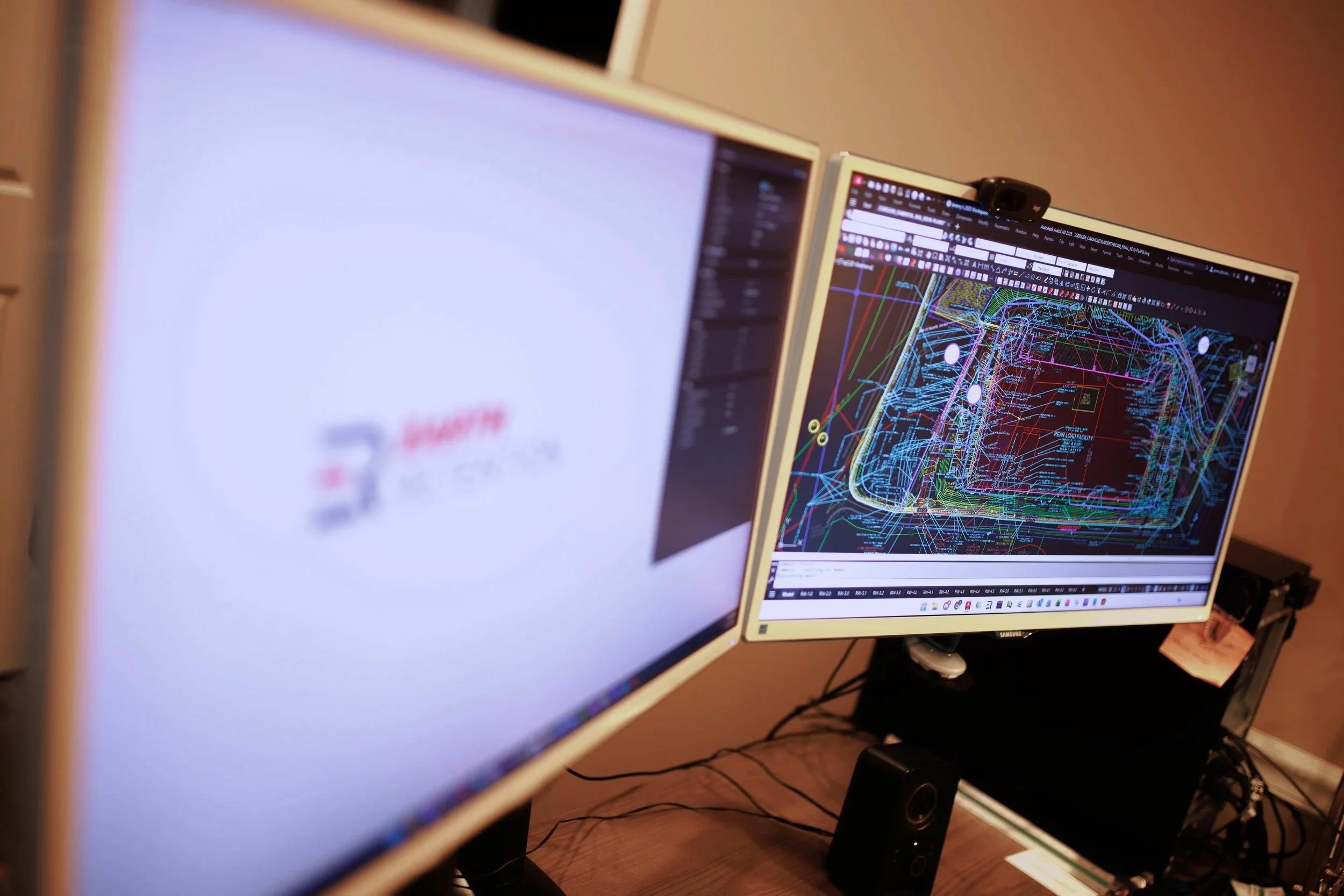
Lay out walls directly on the CAD grading plan with accurate plan views
Export wall geometry from CAD into Vespa
Design using any user-defined or vendor-supplied modular block/geogrid combination once geometry is imported (or entered manually)
Complete layouts, quantities, and multi-case analysis
After design, Vespa generates full wall layouts, accurate quantity estimates, and comprehensive reports. The calculation engine can run Static, Seismic, and ICS analyses in accordance with NCMA or AASHTO (LRFD) methodologies.
Construction drawings—automatically
Vespa is built around the real deliverable: clear, buildable construction drawings. That’s why it automatically generates CAD cross sections and elevation views for the walls you design.
Stability program export
When the design is complete, Vespa can export wall geometry, soil conditions, and loading conditions to select global stability software programs.
Vespa brings the pieces together—design, documentation, and coordination—so the time savings can pay back on the very first project.
VESPA 3
Introducing Vespa3 MSE Design Software—built on the industry-leading Vespa2 platform and expanded with new AASHTO design methodologies.
Vespa3 adds support for AASHTO methods for inextensible reinforcement (panel walls) and the Extensible Simplified Stiffness Method (SSM). With greater design flexibility and a faster calculation engine, Vespa3 improves both design capability and day-to-day workflow efficiency. It also includes the proven features of Vespa2—plus the AWall CAD Tool at no additional cost.
Advanced features
CAD exports for plan, section, and elevation views, including full wall layouts and quantity calculations
Hand-calc–style equation reports for full transparency of results
Export to select global stability programs
Internal compound stability analysis
Import grading and layout information directly from AutoCAD using the free AWall2 CAD Tool
Multi-depth gravity analysis with customizable system configurations
Additional benefits
Choose section-only designs or full wall layouts
Additional AASHTO options for inextensible panel walls, including True and False Abutment options, plus stiffness method support
More comprehensive hand-calc–style PDF reports for all NCMA and AASHTO methodologies
New file-sharing architecture for easier collaboration and distribution
awall 2
The AWall CAD Tool helps you draw retaining walls on a grading plan the way they’ll be built in the field—accurately in both plan and elevation.
Instead of representing a wall with “nominal” line weights and guesswork, AWall accounts for variable wall height, batter (lean), and wall width along the full length of wall to generate a plan view that reflects the wall’s true footprint. That means fewer surprises during construction—and fewer disputes caused by inaccurate space assumptions.
Key capabilities
Includes Crest and Toe geometry
Choose a Top of Wall or Bottom of Wall baseline
Imports wall plan geometry into Vespa
Models a continuously changing footprint as wall height and batter vary
Accurately locates the Bottom of Wall
Creates elevation views and quantity outputs
Instantly exports grading information to Vespa
The problem it solves
Eliminates guessing line thickness to represent wall width
Captures the reality that as wall height and batter increase, wall width increases too
Ideal for
Civil Designers / Landscape Architects
Determine wall space requirements early
Place the wall’s real footprint on the grading plan
Lay out elevation views
Produce preliminary quantities (e.g., wall face area) for budgeting
Retaining Wall Designers
Trace civil grading drawings to collect accurate wall geometry for Vespa
Underlay and trace PDF drawings in CAD (2010 or later)
EZER Toolbar
The EZER Toolbar is an automation add‑on that expands the capabilities of Vespa2—CTiware’s geotechnical retaining wall design software.
With EZER Toolbar, designers can quickly annotate and adjust wall profiles exported from Vespa2 (DXF) directly in Autodesk® AutoCAD®. The tool converts DXF data into a cleaner, simplified format, helping you move faster from design to CAD production while generating clear, contractor-friendly drawings and information.
Installation note: EZER Toolbar requires the AWall tool to already be installed on the computer (in the C:\ drive). If AWall isn’t installed first, EZER Toolbar will not install.